Skip to product information
1 of 2

Ai for Architects and Interior Designers

Ai for Architects and Interior Designers

Regular price $49.00 USD
Regular price Sale price $49.00 USD
Sale Sold out

A course for architects and interior designers who want AI inside the actual workflow — renders, floor plans, moodboards, client proposals and a portfolio site — without learning to code.

Ten modules, each worked on a real project, and a private 1:1 session with me once you finish.

  • No coding background needed
  • Worked on real projects, not demos
  • Includes a private 1:1 session
View full details

From a working sketch to something a client can react to

The drawing on the left is the kind of thing that normally stays in the studio. The image on the right came from it, using the render workflow in the course — no render farm, no visualiser on retainer, no new licence.

Your sketch What you send the client

Drag to compare.

Most AI advice was not written for a practice

The tutorials are made by people with time to experiment. You have a deadline, a client who wants three options by Thursday, and a model that gives you something almost right, then something almost right in a different way.

The gap is not the tools. It is knowing which one to reach for, what to say to it, and what to do when the output is eighty per cent correct and the missing twenty per cent is the part a client notices — a door opening into a wall, a ceiling height that drifts between images, a material that changes across a set of views.

This is the workflow rather than the tour. Every module is worked on a real project, so what you finish with is output you can use, not notes you still have to apply.

What most AI tutorials leave you with

  • A list of tools, half of them gone within a year.
  • Prompts that worked once, on somebody else's project.
  • Impressive single images with no method behind them.
  • Nothing you would put in front of a paying client.

What this leaves you with

  • A workflow you run on your own drawings.
  • Prompts you can adapt, and the reasons they work.
  • Renders, plans and moodboards that hold together across a set.
  • A portfolio site you built yourself, live.

How the course runs

  1. Start from the software you already run

    The first modules map AI onto what is already on your machine rather than replacing it. Nothing gets thrown out, and the work you have in progress stays where it is.

  2. Build alongside each module

    Every module is worked on a real project instead of a demo file. You follow on your own drawings, so by the end you have something to show rather than a set of notes to go back and apply.

  3. Book the 1:1 when you finish

    Once you have completed the course you book a private session with me. We go through your own work, your own pipeline, and the questions the modules could not answer for your particular case.

What changes in your practice

Visualisation stops being a separate line in the budget

A render currently costs money or costs an evening. That is why concepts get shown as plans to clients who cannot read plans, and why three options quietly become one before anyone has seen them.

Once the render workflow is yours, showing a third option costs a few minutes. That changes what you are willing to explore, not only what you are able to deliver.

Covered in: the rendering and visualisation modules — setting up references, and keeping materials and geometry consistent across a set of views.

You stop waiting on somebody else to build things

A portfolio site, a client-facing proposal page, a small tool that renames three hundred files the way your office names them — each of those is currently a request to another person, with a queue in front of it.

The course covers building them with Claude Code, including what to do when the result does not run, which is the part most tutorials skip. You do not need a programming background. You need to describe what you want precisely, which is already the job.

Covered in: the Claude Code, portfolio site and debugging modules.

The repetitive half of the week gets smaller

Sheet naming, drawing registers, specification tables, asking a consultant twice for the same information — none of it is design work, and all of it is why design work happens after six.

The agentic AI modules apply to the admin you already do every week rather than to a project you might win, which is why they tend to pay for themselves first.

Covered in: the agentic AI and workflow automation modules.

These are the outcomes the course is built around. How much of it lands depends on the projects you bring to it — the modules are worked, not watched.

What you get

  • The tool map — Which AI tools earn their place in architecture and interior work, and which two do the same job.
  • Prompting Claude Code — How to describe what you want precisely enough to get it back, and how to correct course when you do not.
  • Agentic AI for the admin — Automating the repetitive design and office work that currently fills the end of the day.
  • A portfolio site you build yourself — A professional studio or portfolio website, without writing code and without hiring a developer.
  • Renders, moodboards and concept visuals — Producing photoreal imagery that stays consistent across a set, from your own references.
  • BIM and Revit into AI — Getting work out of the pipeline you already have and into an AI visualisation workflow without rebuilding it.
  • Plans, elevations and concepts, faster — Generating and iterating floor plans, elevations and design concepts.
  • Fixing AI-written code without a technical background — What to do when the thing it built will not run — the module most courses leave out.
  • Client proposals that use the visuals — Putting AI-generated imagery and pages into a proposal a client says yes to.
  • A private 1:1 session with me — Once you finish the course we go through your own work and your own questions. Booked directly — not a group call.
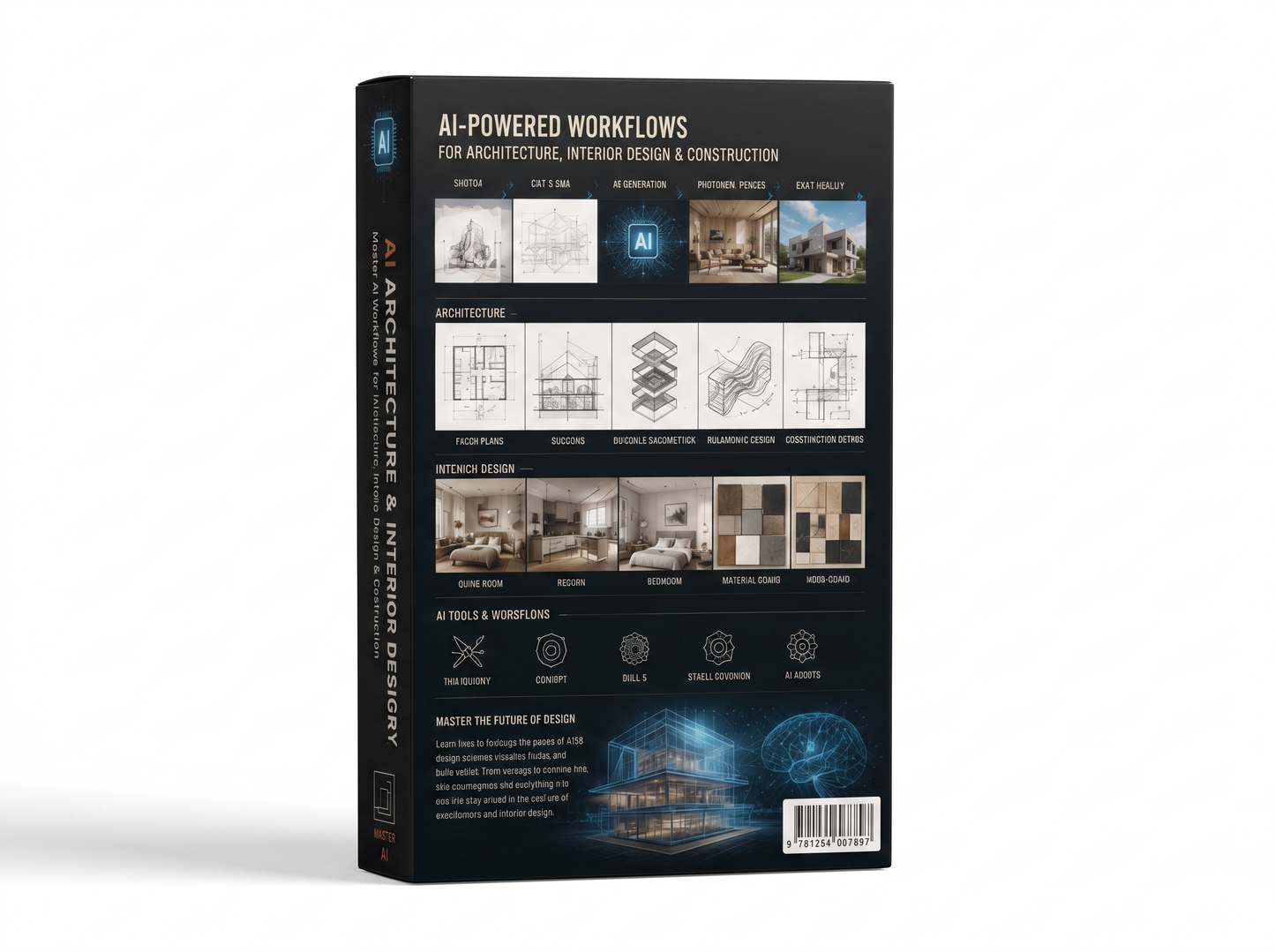
The AI Architecture and Interior Design Mastery course box.

Questions architects ask before buying

Do I need any coding experience?

No. The course assumes you have never written code. The Claude Code modules are about describing what you want clearly and reading what comes back, and there is a module on what to do when it does not work — which is where people without a technical background usually get stuck.

Which software do I need to own?

Nothing new. The workflows are built around what practices already run, plus AI tools, some of which have free tiers. Where a module needs a paid tool, that is said before the module starts.

Is this for architects or for interior designers?

Both. The rendering, moodboard and material modules lean interior. The plan, elevation and BIM modules lean architecture. The prompting, agentic AI and website modules apply either way.

How does the 1:1 session work?

You book it once you have completed the full course. It is a private session with me rather than a group call: we look at your own projects, your own pipeline, and the questions the modules did not cover for your case.

I have tried AI renders and they came out wrong. Is this different?

The usual failures are known ones — geometry that drifts between views, materials that change from image to image, spaces that could not be built. The course treats those as the subject rather than as bad luck, because getting them right is what separates a usable visual from a nice picture.

Will this be out of date in six months?

Some tool names will change. The method — how you set up a reference, describe an intent, check an output and fix it — does not, and that is most of the course. Where a specific tool is used, the reasoning is shown so you can carry it to another one.

Can I go at my own pace?

Yes. The modules are recorded and worked step by step, so you can stop after one, apply it to a live project, and come back.

Do I need to be good at prompting already?

No. Prompting is taught from the start, on architecture and interior tasks rather than generic examples. If you have used a chatbot once, you are far enough along.

The next project is the one to use it on

Ten modules, worked on real projects, and a private session with me once you finish.

$49.00