Skip to product information
1 of 7

Crayon to Creature

Crayon to Creature

An AI course that turns your kid's drawing into a photorealistic animal.

Regular price $2.00 USD
Regular price $62.00 USD Sale price $2.00 USD
Sale Sold out

Save 97% $60.00 off — normally $62.00

Turn your kid's drawing into a real animal — every mistake kept.

Most AI quietly fixes the seven legs, straightens the neck and shrinks the head back to a sensible size. You get a stock animal, not your child's. This keeps the drawing exactly as drawn.

Digital course. Video lessons and a Claude skill, with lifetime access. Nothing is shipped.

  • Works from your phone
  • Ready in about five minutes
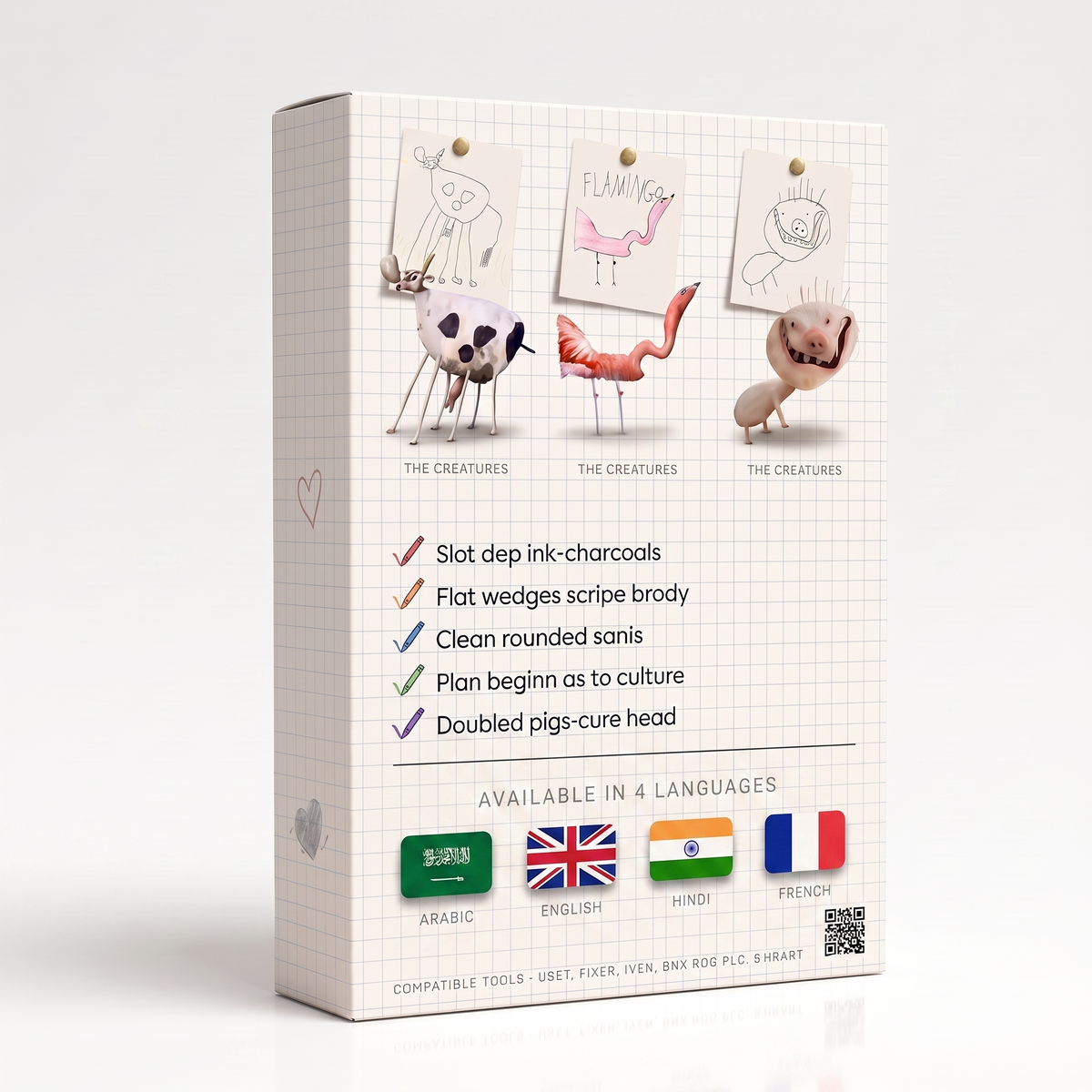
  • English, Arabic, Hindi, French

Made by Dr. Amir A. Sharifi · More AI courses · Find your AI path

View full details

Nothing here was corrected

The drawing on the left was made by a six-year-old. The photograph on the right is the same animal, kept wrong in every place the drawing was wrong.

A photorealistic animal with the same seven legs and mismatched eyes, standing on a rock.
A child's pen drawing of an animal with seven legs and one eye larger than the other.
Their drawing What came back

Drag to see what stayed the same.

Every other tool draws a better cow

Image models learn from photographs. They have seen millions of real cows and almost no imaginary ones. So when you hand one a child's cow, it doesn't see a design — it sees a cow drawn badly, and it helpfully fixes it.

The legs thicken to a believable width. The ears become a matching pair. The head shrinks to the size a head is supposed to be. What comes back is photoreal and worthless, because the parts it corrected were the parts your child invented.

Most of this skill is a list of things not to say to the model. That list is the hard part.

What you usually get back

  • A cow. The correct number of legs.
  • Symmetrical eyes, a matching pair of ears.
  • A head scaled back down to fit the body.
  • Nothing your child recognises as theirs.

What this gives you

  • Seven legs, because there were seven.
  • One eye larger, at the size it was drawn.
  • A neck bent the wrong way, bent the same wrong way.
  • Real fur, hooves and daylight on a body that could not exist.

How it works

  1. Install the skill

    Open Claude and add the skill once. There is no account to make and nothing to configure. The video walks you through it in about three minutes.

  2. Photograph the drawing

    Lay the paper flat and take a photo with your phone. Kitchen light is fine. Creases, smudges and the crayon that went over the line are all fine — the skill reads the drawing, not the paper.

  3. Meet the creature

    Send the photo and wait about a minute. What comes back is a photograph of the animal your child designed, at a size you can print and frame.

What this does for your child

It tells them their idea was right

When an adult redraws a child's animal to make it correct, the child gets a clear message: my version needed fixing. Children read that quickly, and they respond in one of two ways. Some draw less. Others keep drawing but start checking first — smaller risks, safer animals, the shapes that were approved of last time.

This does the opposite. The seven legs come back as seven legs, rendered with the care a photographer would give a real animal. The child's decision is treated as the specification, not the mistake.

Grounded in: research on autonomy support — how the way adults respond to children's choices affects whether those children keep making choices.

It moves them from "I drew something" to "I made something"

A drawing depicts. A photograph is evidence. When the creature arrives looking like something that was standing on a rock an hour ago, the child's standing changes: they are no longer someone who drew an animal, they are someone whose animal exists.

Most of that happens in the watching. Sit with them while it comes back. The gap between sending the photo and seeing the creature is the part they will describe to other people for weeks.

Grounded in: work on mastery experiences and self-efficacy — the finding that what a child believes they can do is built mostly out of having already done it.

It hands you a better question to ask

"Lovely" is a verdict. A child can do nothing with a verdict except try to earn it again. "Why six legs?" is a question only they can answer, and answering it makes them the expert on their own work.

The photograph makes those questions easy, because now there is something to point at. Why is this one bigger. What does it eat. Where does it sleep. You will usually find they had answers ready.

Grounded in: the distinction between process feedback and evaluative praise, and what each one teaches a child to pay attention to.

These are established findings about children and motivation. They describe how children tend to respond to being corrected and to being asked — they are not a clinical claim about this product.

Four languages

The skill, the lessons and the repair guide are written in all four. You get every language, not only the one you read this page in.

  • English English
  • العربية Arabic
  • हिन्दी Hindi
  • Français French

What you get

  • The skill itself — the prompt rules that keep a drawing wrong in the right places.
  • Video lessons — short, in the order you will actually need them, filmed on a phone.
  • A repair guide — what to type when the model corrects something anyway, with the phrases that put the mistake back.
  • The animation module — turn the finished creature into a few seconds of it moving.
  • Print-ready output — files large enough to frame at A3 without the edges going soft.
  • Lifetime access — in English, Arabic, Hindi and French, updates included.
Crayon to Creature cover art: a child's pen drawing pinned to the front, under the title in rainbow letters.

Questions parents ask

Do I need to know anything about AI?

No. You install one thing, then you send photographs and read what comes back. If you can use a messaging app, this is the same number of steps.

What kind of drawings work?

Pen, pencil, crayon, marker. Whole animals work best — something with a body and legs, even if the legs are in strange places. Very faint pencil sometimes needs a second photo in better light.

Does it really keep the mistakes?

That is the whole point of it. Most of the skill's instructions are about what not to improve. If something does get corrected anyway, the repair guide tells you exactly what to type to put it back.

Can I animate it?

Yes. The animation module takes the finished creature and gives you a few seconds of it moving. It is the last lesson in the course.

Does it work on a phone?

Yes. Photograph, send, wait, save. Nothing in the process needs a computer.

Which languages is it in?

English, Arabic, Hindi and French. You get all four, not only the one you buy in.

Do I own the images?

Yes. They are your child's drawings and your photographs of them. Print them, frame them, put them on a birthday card.

How long does one take?

About five minutes the first time, including the install. After that, roughly a minute per drawing.

Their drawer is full of these

Every one of them is a design decision somebody made and nobody wrote down. Pick one and see it standing on a rock.

$2.00 Regular price $62.00

Save 97% $60.00 off — normally $62.00

Covered by our 30-day refund policy.